01 / 03 · IN THE CARCall the person.
Call the person.
Keep your focus.
Your contact says Γιώργος. You say his name. Give Siri the pronunciation hint it needs, so you can call through your hands-free setup.
YOUR CONTACTS. YOUR LANGUAGE.
“Siri, call Γιώργος.”
It should be that simple.
Phonetiq adds the pronunciation hints Siri needs to recognise your contacts. Keep their Greek names. Make the call with your voice.
One-time purchase · No subscription · On-device processing
 IN THE CAR
 ON THE BIKE
 WITH YOUR VOICE
Everyday stories from our Phonetiq ads
Greek is not listed among Siri’s supported languages in Apple’s feature availability list. You can use a supported Siri language, such as English, to call contacts whose names stay in Greek: “Siri, call Γιώργος.” Pronunciation fields give Siri guidance for those names. Phonetiq adds these hints across your contact list; it doesn’t add Greek-language commands to Siri.
LESS SEARCHING. MORE LIVING.
In the car. On the bike. Or when a screen isn’t the way you connect.
SCROLL THROUGH THREE EVERYDAY STORIES
Your contact says Γιώργος. You say his name. Give Siri the pronunciation hint it needs, so you can call through your hands-free setup.
With a Siri-compatible headset or helmet intercom, voice calling is useful when your phone is tucked away. Phonetiq helps Siri find the Greek contact you mean.
For blind and low-vision people who rely on voice calling, recognising the right name matters. Phonetiq supports VoiceOver and helps make Greek contacts easier to reach with Siri.
THE MANUAL FIX · iOS 27
Apple gives each contact extra name fields. Add a pronunciation hint while keeping the name in Greek. Here’s how.
In Contacts, choose a Greek contact and tap Edit.
Scroll down, tap add field, then choose the first- or last-name pronunciation field.
For example, try “YOR-gos” for Γιώργος. Add a surname hint if needed. Keep the original Greek name.
Tap Done, then try “Siri, call [name]”. Adjust the hint if needed. Do the same for the next contact.
The name you know stays in Greek.
ILLUSTRATIVE SPELLING · TRY AND ADJUST
On iOS 27, use pronunciation fields. On iOS 26 and earlier, phonetic name fields help with recognition and may affect contact sorting. Apple’s contact instructions
SAME IDEA. A LOT LESS WORK.
Let Phonetiq do your contact list.
And the contacts you haven’t met yet.
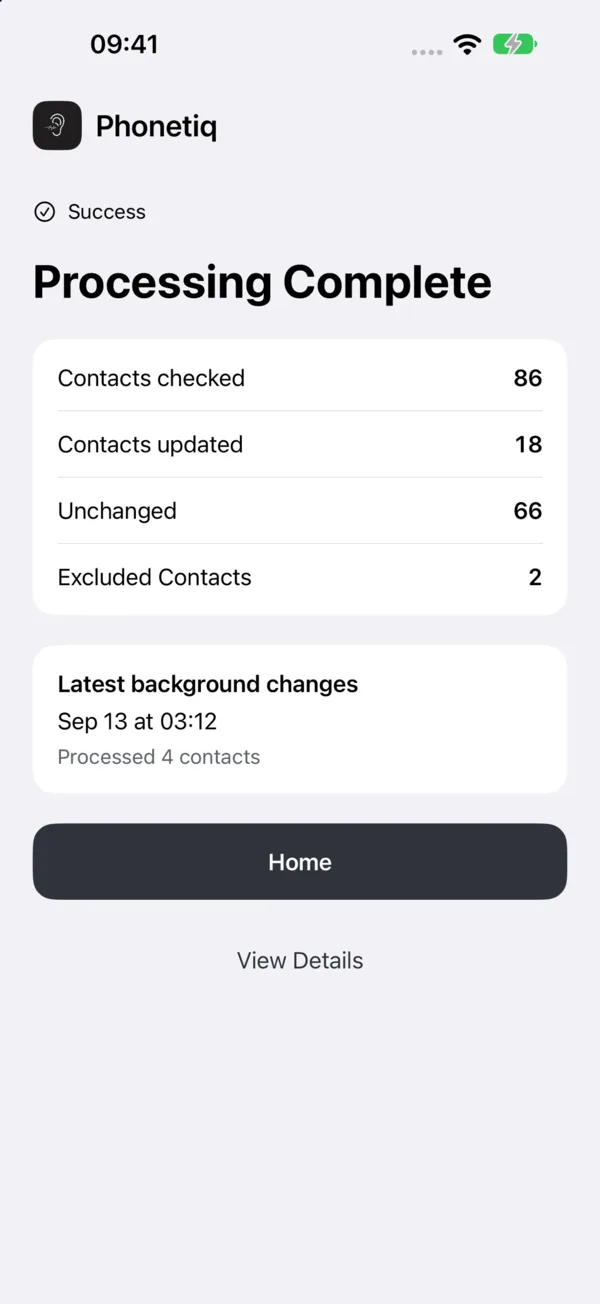
Process your existing contacts in one go. Phonetiq adds the name hints, while your original Greek names stay in place.
Turn on background processing and Phonetiq can update new contacts automatically. No need to edit every name by hand.
Processing happens on your device, with backup and restore built in.
Enable background processing in Phonetiq. iOS decides when background tasks can run.
A FEW GOOD QUESTIONS
Greek is just the start. Phonetiq supports eight languages across Greek, Cyrillic and Georgian scripts.
Yes. Phonetiq adds extra name hints without replacing the original names. On iOS 27, pronunciation fields also preserve the original sort order. On earlier iOS versions, phonetic fields may change how contacts sort.
Yes, when you enable background processing. iOS schedules the background work, so newly added contacts may not be processed immediately. You can also open Phonetiq and run it yourself.
Greek is not listed among Siri’s supported languages in Apple’s feature availability list. Phonetiq helps Siri recognise Greek contact names; it doesn’t add Greek-language commands to Siri.
Choose a supported language in Settings → Siri → Language (the section may be called Apple Intelligence & Siri). Add pronunciation hints to your contacts, then try a command in that language, such as “Call [name]” with English Siri.
Yes. Open a contact, tap Edit, then add field and choose a pronunciation name field. Type how the name sounds, save and try Siri. Adjust the hint if needed. Phonetiq automates adding hints across your existing contacts.
It can take up to 15 minutes for Siri to pick up the updated fields. Recognition and pronunciation can vary by name and Siri language.
Phonetiq supports VoiceOver. Voice calling can be particularly useful for blind and low-vision people, as well as anyone who prefers to keep their phone in a pocket.

YOUR PEOPLE. JUST A VOICE COMMAND AWAY.

iOS 17+ · One-time purchase · No subscription